Curate a personal preprint feed with this tool!
March 14, 2026 | Gabriella Estevam
If I want to know what’s latest in the literature, if I’m not reading preprints, I’m behind.
I’ve experimented with several approaches, from science social media to RSS feeds - which, out of all the options, has been the most effective when following the Fraser Lab method.
RSS feed categories and customizations such as keywords and authors have worked well for journal publications, but are too broad for the way I engage with preprints in particular - it helps to aggregate, but not curate.
I found myself craving an easy-to-digest, niche, field-focused, automated, preprint-only system to accompany, not replace, the methods I already use.
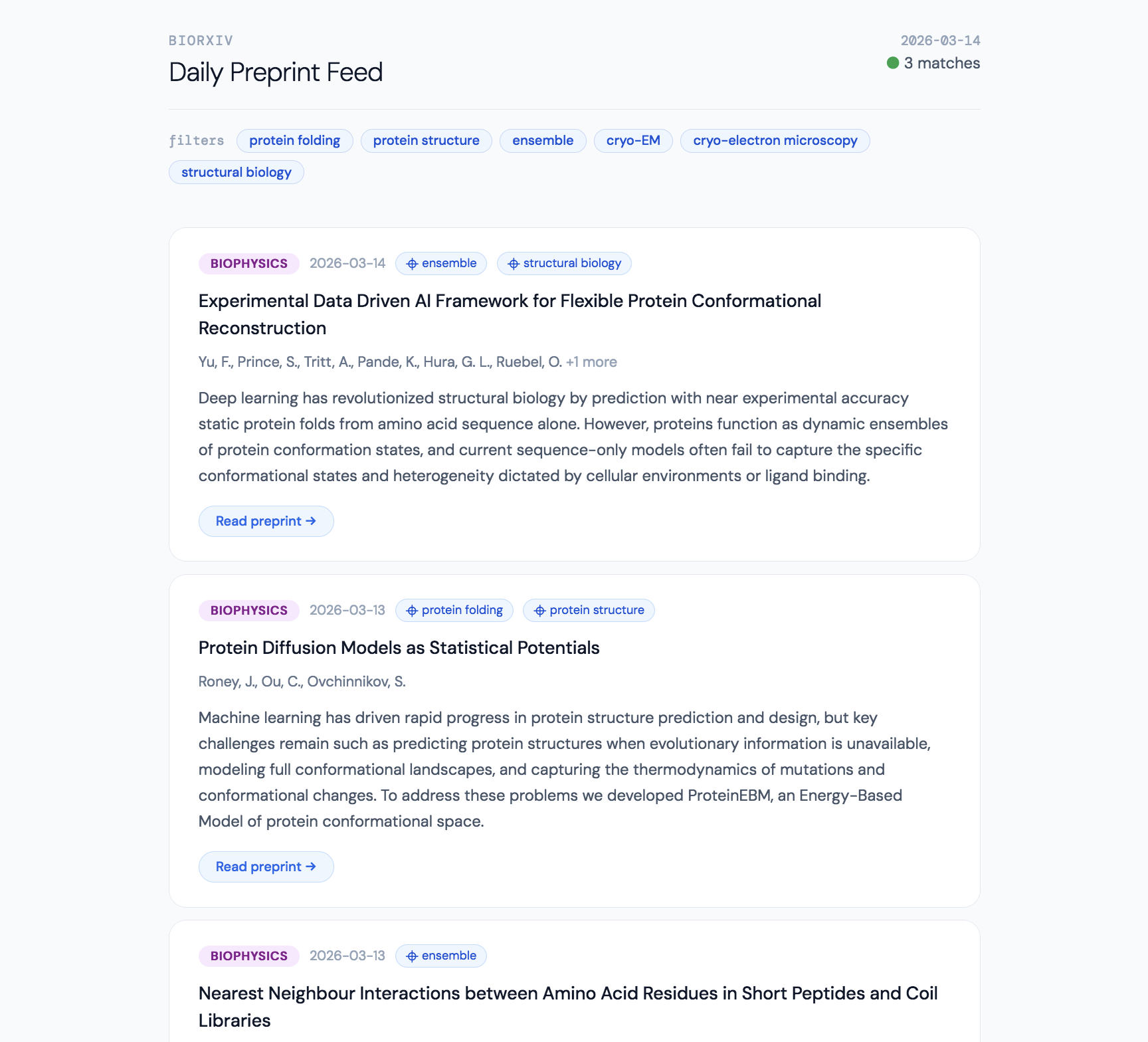
With the help of Claude (Sonnet 4.6), I vibe coded something I’m now pretty happy with - an automated HTML preprint fetcher that curates bioRxiv preprints daily. The script runs once a day silently in the morning, so when I get into the office, all I have to do is open the feed output file after my computer wakes up and viszualize it in my default browser. Then, I have the option to click a title that opens the preprint in a new tab, and from there I can bank it in my paper organizer app using a browser extension. Once the output file is opened in a browser, it can be bookmarked for easy access (and it will get updated each day too). If at 4pm I want to see if more papers are deposited, I have the option to rerun the script. Regardless, I won’t be spammed with papers and “alerts” or overwhelmed with a long list of titles and other app features.
The advantage of HTML over a widget or other desktop app is the ease of operation. I wanted to generate shareable code that can operate for anyone, gratis. Being someone that appreciates customization, I required that as an option for others and my future self too. The draw back of this code is that it is locally run, so I can’t access it on my phone, but this is a non-issue since that’s where I prefer to engage with Feedly.
Check it out - hopefully it’s helpful and easy to use!
The result is something that looks like this in your default browser:
How to implement:
Running the code:
-
Download the scripts from my GitHub repository onto your local machine
- Go into the folder
cd preprint_fetcher - Create a virtual environment
python3 -m venv .venv source .venv/bin/activate - Install the one dependency
pip install requests - Create a personal config - open config.json and fill in your keywords and authors
cp config.example.json config.json - Test
python biorxiv_fetcher.py - Install the scheduler
python scheduler.py --install-launchd - Open the output file from the “feed_output” subfolder, view feed in browser, and bookmark
At any later point, the preprint fetch can be refreshed on your terminal, just rerun python biorxiv_fetcher.py
Customizing:
-
The config file is where the majority of the changes can be made. In the repo I’ve included an empty template, but it must be personally filled with specific:
- Keywords
- Authors
- Fields
- Preprint recency
- Maximum number of papers
-
Timing and frequency can also be changed in the scheduler script in case a different interval or time is preferred. In the source code the papers are fetched at 6am everyday, but this can be changed to 6pm on just Friday as shown below.
 <key>StartCalendarInterval</key>
     <dict>
         <key>Weekday</key>
         <integer>6</integer>
         <key>Hour</key>
         <integer>18</integer>
         <key>Minute</key>
         <integer>0</integer>
     </dict>
Then reinstall to activate the updates
 python scheduler.py --uninstall
 python scheduler.py --install-launchd
Additional resources and approaches:
-
The Fraser Lab Method of Following the Scientific Literature by James S. Fraser
-
Adaptively following the scientific literature by Hersh K. Bhargava